

We may earn a commission if you buy through links on this page. This site is not owned by QuickBooks.
Last verified 19 October 2026 by Roshan Jha. Method: checked against quickbooks.intuit.com/pricing. We did not complete a paid checkout.
Related: Current QuickBooks coupon codes. QuickBooks Black Friday 2026: What Is Confirmed So Far. QuickBooks Review 2026: Every Plan Compared, Here Is What You Are Paying For.
QuickBooks pricing looks simple on the surface, five tiers, one clean table, done. It’s not that simple once you factor in payroll, payment processing, the current promo, and what happens after that promo ends.
I went through the live pricing page plan by plan and cross-checked the add-on costs that don’t show up on the main page, so you can see the real number before you commit, not just the headline one.
The current QuickBooks pricing, live right now
As of today, QuickBooks is running 50% off for 3 months across every paid small business plan. Here’s the exact breakdown:
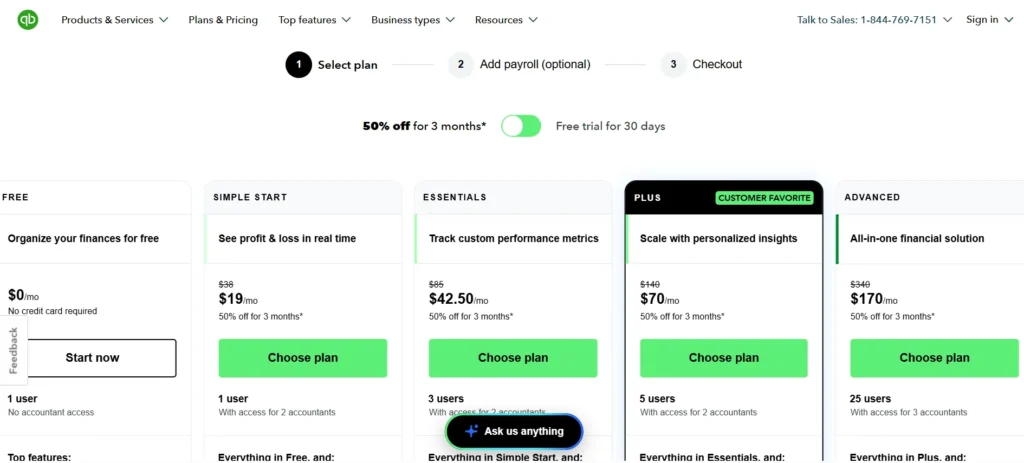
| Plan | Regular Price | Current Promo Price | Users Included |
| Free | $0/mo | $0/mo | 1 |
| Simple Start | $38/mo | $19/mo | 1 |
| Essentials | $85/mo | $42.50/mo | 3 |
| Plus | $140/mo | $70/mo | 5 |
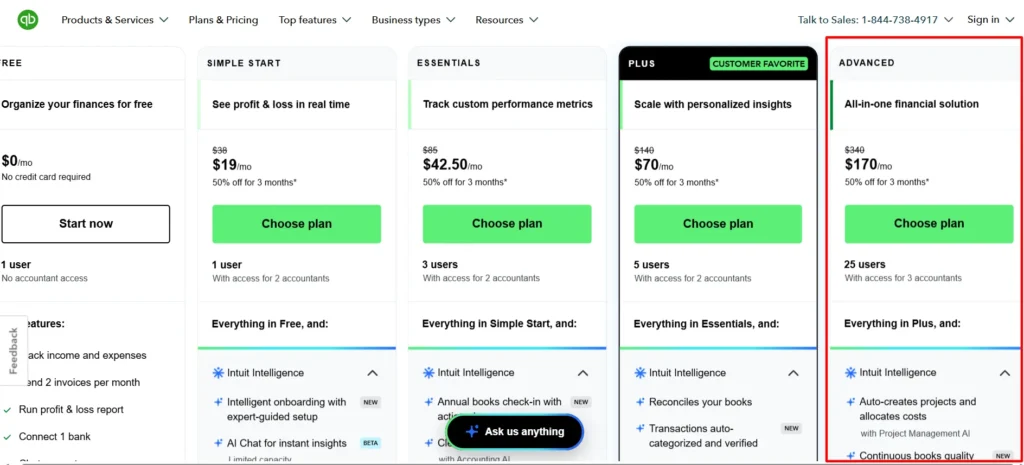
| Advanced | $340/mo | $170/mo | 25 (plus access for 3 accountants) |
You can also choose a 30-day free trial instead of the discount, but not both. The pricing page has a toggle, and picking one locks out the other for that signup.
What each plan actually includes
Price alone doesn’t tell you much without knowing what you’re buying at each level, so here’s the breakdown.
Free
It covers one user and the absolute basics: organizing income and expenses with no credit card required to start. It’s a fine place to park very early-stage bookkeeping, but it won’t scale with a growing business.
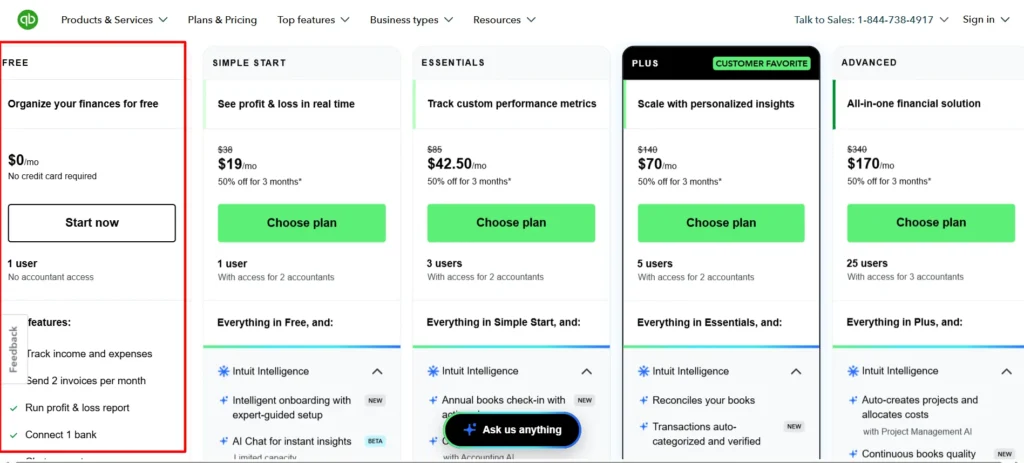
Simple Start ($19/mo promo, $38/mo regular)
It is the real entry point for most solo operators. It includes invoicing, expense tracking, mileage tracking, bill management, basic reporting, inventory tracking, project profitability, payments, sales tax, tax deductions, direct deposit, 1099 e-filing, and customer management tools, all for one user.
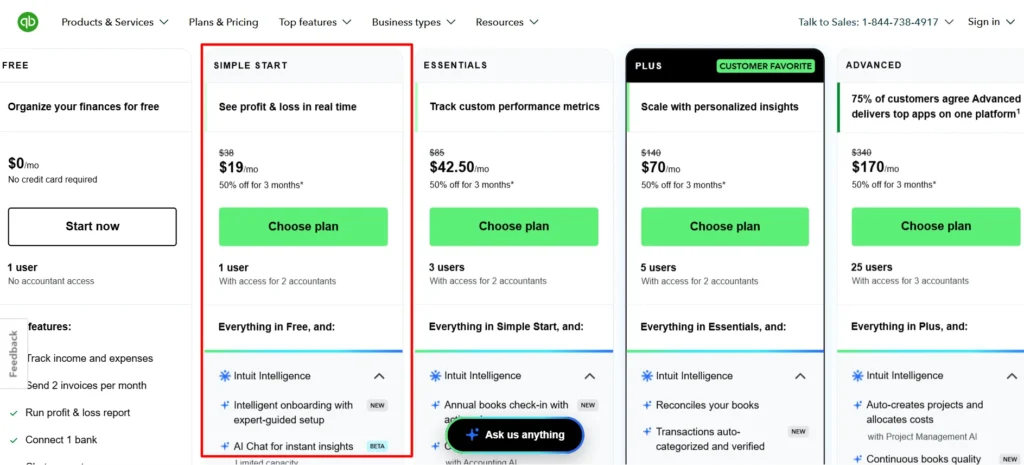
Essentials ($42.50/mo promo, $85/mo regular)
It keeps everything in Simple Start and opens access to 3 users. The feature list doesn’t expand dramatically over Simple Start. The multi-user access is the entire reason to upgrade here.
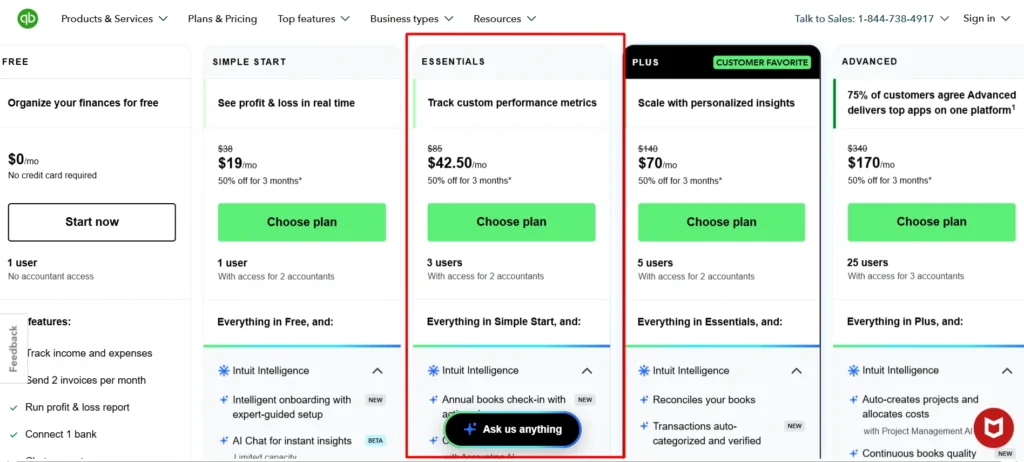
Plus ($70/mo promo, $140/mo regular)
It supports 5 users and adds deeper inventory tracking, project profitability at a more granular level, and budgeting tools. Intuit calls this their most popular tier, and the feature sets that up for businesses past their first year.
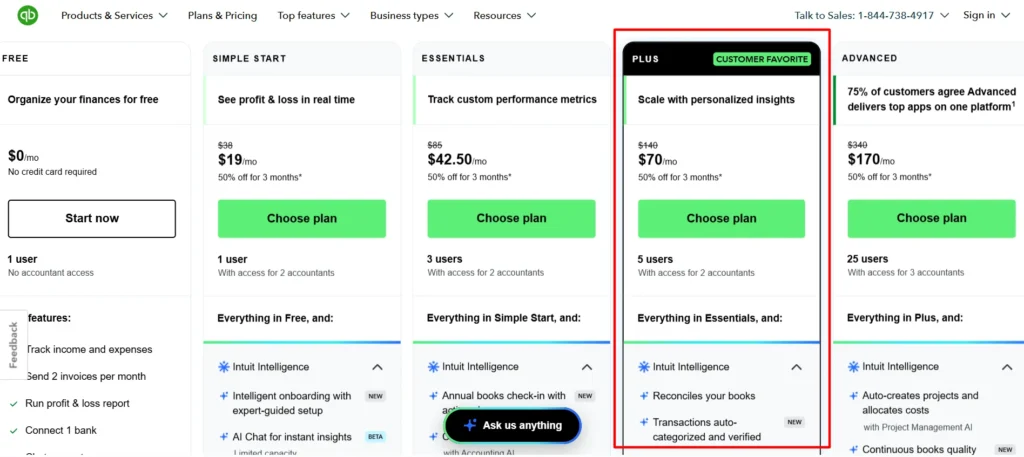
Advanced ($170/mo promo, $340/mo regular)
It jumps to 25 users with access for 3 accountants. This tier adds the full Intuit Intelligence AI suite (Accounting AI, Payments AI, Finance AI), custom user permissions, batch transactions, automated workflows, deeper business analytics, a dedicated account team, and priority support.
Intuit Enterprise Suite
It sits above Advanced for mid-size businesses that need ERP-level, multi-entity management. It isn’t priced on the public page, so you’d need to talk to sales directly for a quote.
The add-on costs that don’t show up on the main pricing page
This is where a lot of QuickBooks pricing guides fall short, and where your actual monthly bill usually ends up higher than the plan price alone suggests.
Payroll
None of the base plan prices above include payroll. QuickBooks Payroll is billed separately, on top of your subscription, and it comes in three tiers.
Based on current third-party pricing trackers (I didn’t find a live payroll pricing page from Intuit itself to screenshot, so treat these as recently reported rather than guaranteed):
| Payroll Tier | Approx. Base Fee | Approx. Per-Employee Fee |
| Core | ~$45–50/mo | ~$6–6.50/employee/mo |
| Premium | ~$80–88/mo | ~$8–10/employee/mo |
| Elite | ~$125–134/mo | ~$10–12/employee/mo |
Multiple sources report slightly different exact figures for these tiers, likely reflecting recent increases and regional variation, so confirm the current number at checkout before budgeting around it.
What’s consistent across every source: payroll cost scales directly with headcount, and at around 10 to 11 employees, Core payroll alone can cost roughly as much as your base software plan.
Payment processing
If you accept customer payments through QuickBooks Payments, the commonly reported rate is 2.9% plus $0.25 per invoice for card transactions.
This isn’t a flat monthly fee, it scales with how much revenue you actually process, so a business doing high transaction volume will feel this line item more than the subscription price itself.
Other add-ons
QuickBooks Time (time tracking at scale), Live Bookkeeping (a human bookkeeper reviewing your books), and various app integrations can each carry their own separate charge depending on what your business actually needs.
None of these are required to use the core product, but they’re worth knowing before you assume the plan price is your full bill.
What a realistic total monthly bill looks like
Here’s the honest picture a lot of pricing pages don’t show. A business on Plus (promo price $70/mo) with 5 employees on Payroll Core (roughly $50 base plus $6.50 per employee, about $82.50/mo) is already paying close to $140/mo combined, before a single card payment gets processed.
Add QuickBooks Time for the same team and you’re past $150–200/mo total, well above the plan’s sticker price alone.
This isn’t a knock on QuickBooks specifically. Most software in this category prices the core product low and prices the add-ons separately. But it does mean the $19 or $70 headline number is the starting point of your bill, not the ceiling.
Monthly vs. annual billing
QuickBooks’ public pricing page doesn’t advertise a separate annual billing discount the way some SaaS products do. The current promo (50% off for 3 months) is a temporary discount off the standard monthly price, not an annual prepay option.
If you want to lock in savings beyond the promo period, your main lever is choosing the right tier for your team size rather than switching a billing cadence, since I didn’t find a published annual plan on the current pricing page.
Historical pricing context, so you know what to expect
The official regular prices today are Simple Start $38, Essentials $85, Plus $140 and Advanced $340. Past price history is UNKNOWN.
Future price changes are UNKNOWN. Check the pricing page before you renew.
Which plan actually makes financial sense for you
- Testing an idea with barely any transactions: Free. Don’t pay before you have much to account for.
- Solo freelancer or single-owner LLC: Simple Start at $19/mo promo covers nearly everything you need.
- Just hired your first employee or bookkeeper: Essentials, for the 3-user access alone.
- Running inventory or multiple active projects: Plus, where the deeper tracking tools actually get used.
- High transaction volume, multiple departments, or need permission controls: Advanced, where the AI suite and priority support start earning their price.
- Multi-entity or outgrown standard small business accounting entirely: Intuit Enterprise Suite, quote required.
FAQs: QuickBooks Pricing
Does QuickBooks pricing include payroll?
No. Payroll is billed separately on every plan, with cost scaling by employee count. Budget for it as an add-on, not something bundled into the base price.
Is the 50% off promo permanent?
No. It applies for the first 3 months only. After that, your subscription renews at the full regular price shown in the table above.
Can I combine the discount with the free trial?
No. You choose one or the other at signup. The free trial gives you 30 days at no cost, but full price starts immediately after, with no discount period following it.
What’s the real starting cost for a 5-person business using payroll?
Realistically, somewhere in the $130–200/mo range once you combine a mid-tier plan like Plus with Payroll Core for 5 employees, before any payment processing fees. That’s meaningfully higher than the plan price alone.
Does QuickBooks charge per user or per company?
Per company file, with a user cap included per tier. A 3-person team on Essentials pays one flat subscription rather than three separate seats, as long as they stay within that plan’s user limit.
Is there a cheaper way to get QuickBooks long-term?
Not through a published annual discount, since I didn’t find one advertised on the current pricing page. Your best lever is picking the smallest tier that actually covers your feature needs, since upgrading later is straightforward if you outgrow it.
Why do third-party sites list different QuickBooks prices than what I see on the site?
Pricing has changed more than once over the past year, and some trackers are reporting figures from an earlier or later pricing cycle than what’s currently live. Always confirm the number on QuickBooks’ own pricing page before budgeting, since that’s the only source that reflects what you’ll actually be charged today.

About the author: Roshan Jha
Roshan Jha is an SEO expert focused on helping brands grow through search-first content strategy, technical SEO, and data-driven digital marketing. He specializes in building scalable organic growth systems, covering keyword research, on-page optimization, topical authority, site audits, and conversion-focused content planning. With a practical, results-oriented approach, Roshan works with businesses to improve rankings, increase qualified traffic, and turn visibility into measurable revenue. Follow Roshan Jha on LinkedIn.